
 +971 50 945 1020
What Network Equipment Does an Office Need? UAE Business Guide
By Netbiz Technology LLC · 24 September 2026
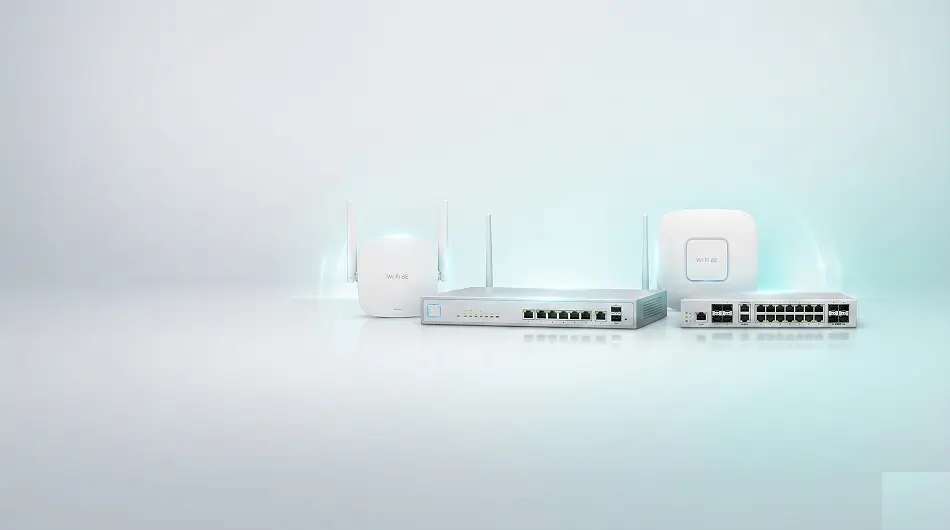
A UAE office network requires four types of equipment: a managed switch (to connect all wired devices), WiFi access points (for wireless connectivity), a business router or gateway (to connect to the internet), and Cat6 structured cabling (to link everything). Optionally, large offices add a network access controller and a dedicated firewall. This guide explains what each device does and which models are appropriate for different office sizes.
The 4 Core Components of an Office Network
| Component | What It Does | Office Can Skip? | Recommended Brand |
|---|---|---|---|
| Managed Switch | Connects all wired devices; supports VLANs and QoS | No — essential | Huawei eKit S310 / S530 |
| WiFi Access Points | Provides wireless access for laptops, phones, tablets | Only if 100% wired | Huawei eKit AP371 / AP362E |
| Router / Gateway | Connects to internet; handles DHCP, NAT, basic security | No — essential | Huawei eKit AR617VW / AR160 |
| Cat6 Cabling | Connects all devices to switch over structured wiring | No — essential | Cat6 minimum |
| Network Cabinet / Rack | Organises patch panels, switches, and cabling | For 5+ staff, recommended | 19-inch wall-mount rack |
| UPS (Battery Backup) | Keeps network online during brief power outages | Recommended for UAE | Any UPS sized to load |
Managed Switch: The Core of Your Office Network
A managed switch is not optional for a business network — it's the device that connects every computer, printer, IP camera, VoIP phone, and access point in your office. 'Managed' means you can configure VLANs (to separate staff, guest, and CCTV traffic), QoS (to prioritise VoIP calls), and monitor port activity.
| Office Size | Recommended Switch | Key Spec |
|---|---|---|
| 5–10 staff | Huawei eKit S220-8P2ST or S310-8P2ST | 8 ports, PoE, managed |
| 10–25 staff | Huawei eKit S310-24P4S | 24 ports, 370W PoE, 4x SFP+ |
| 25–60 staff | Huawei eKit S310-48P4X | 48 ports, 740W PoE, 4x SFP+ |
| 60+ staff (multi-floor) | S530-24T4X core + S310 access switches per floor | Layer 3 core, stacked access |
WiFi Access Points: Office Wireless Coverage
Consumer routers are not suitable for office WiFi — they're designed for home use with a single device and will struggle with 10+ simultaneous users. Enterprise access points handle dozens of connected devices per AP, support multiple SSIDs (staff and guest networks), and connect back to your switch via PoE cable for both power and data.
- 1 AP per 100–150 sqm for open-plan offices (standard guidance)
- 1 AP per room for glass-partitioned meeting rooms
- 2.4 GHz band for IoT and long-range devices; 5 GHz for laptops and phones
- Use WiFi 6 APs (Huawei eKit AP371) — faster, handles more devices simultaneously
- Connect each AP to your PoE switch — no separate power adapter needed
- All APs should broadcast the same SSID for seamless roaming across the office
Router / Business Gateway: Your Internet Connection
The router or business gateway manages your connection to the internet — it handles DHCP (assigning IP addresses to all devices), NAT (sharing a single ISP connection across all users), and basic firewall protection. For most UAE offices, a Huawei eKit gateway or AR-series business router does this job cleanly while also supporting VLAN routing so your managed switch doesn't need Layer 3 capability.
- Small office (up to 30 users): Huawei eKit AR617VW (gateway with built-in WiFi option)
- Medium office (30–100 users): Huawei eKit AR160FGW (dedicated business router, dual WAN, VPN)
- Large office (100+ users): Huawei eKit AR series enterprise router (SD-WAN, BGP, multi-site VPN)
- Require guest WiFi portal? Choose a gateway with captive portal support
- Critical uptime? Choose dual-WAN with LTE failover
Cabling: What Most Offices Get Wrong
The most common mistake in UAE office network builds is underestimating cabling. Every wired device needs its own Cat6 run from the device to the network cabinet. Wireless access points also need a Cat6 run each — they connect to the PoE switch via cable, not wirelessly.
- Use Cat6 cable minimum — not Cat5e for new installations
- Maximum cable run: 90m from patch panel to device (100m total with patch leads)
- Each AP needs one Cat6 run from the nearest switch
- Each VoIP phone needs one Cat6 run (or shares with computer via a pass-through port)
- Each CCTV camera needs one Cat6 run to the nearest switch
- Run cables inside cable trunking or conduit — required in most UAE commercial builds
Complete Equipment List by Office Size
| Office Size | Switch | APs | Router/GW | Estimated Hardware Cost (AED) |
|---|---|---|---|---|
| 5–10 staff, ~100 sqm | S310-8P2ST (×1) | AP371 (×1–2) | AR617VW (×1) | 2,500–4,500 |
| 15–25 staff, ~250 sqm | S310-24P4S (×1) | AP371 (×2–3) | AR160FGW (×1) | 5,000–8,000 |
| 30–50 staff, ~500 sqm | S310-24P4S (×2) | AP371 (×4–6) | AR160FGW (×1) | 9,000–15,000 |
| 60–100 staff, 2 floors | S530 core + S310 ×2 | AP371 (×8–12) | AR160 enterprise (×1) | 18,000–30,000 |
Optional but Recommended Equipment
- UPS (uninterruptible power supply) — keeps network switches and APs running during UAE power outages
- Network cabinet / wall rack — organises cabling, switch, and patch panel professionally
- Dedicated firewall — for offices handling sensitive data or with compliance requirements
- Access controller (Huawei eKit AC) — centralises AP management for offices with 6+ access points
- SFP fibre modules — for long cable runs between floors or buildings (over 100m)
Not sure exactly what your office needs? Send us your floor plan and staff count — we'll specify the complete equipment list for free.
Get Free Office Network Specification