
 +971 50 945 1020
What Is WiFi 6? A Plain-English Guide for UAE Businesses
By Netbiz Technology LLC · 1 September 2026
WiFi 6 (IEEE 802.11ax) is the current mainstream wireless standard, succeeding WiFi 5 (802.11ac). It was designed specifically for dense environments — hotel floors packed with smartphones, open-plan offices running video conferencing on 80 devices, warehouses with dozens of barcode scanners. If your UAE business has more than 15 simultaneous wireless devices, WiFi 6 is no longer a luxury; it is the baseline.
The Core Technologies in WiFi 6
WiFi 5 served single users well. WiFi 6 was engineered for crowds. Three technology changes make the biggest practical difference.
OFDMA: Serving Multiple Devices Simultaneously
In WiFi 5, the channel was handed to one device at a time, like a walkie-talkie — transmit, then listen. OFDMA (Orthogonal Frequency Division Multiple Access) divides each channel into smaller sub-channels called Resource Units (RUs) and assigns them to different devices in the same transmission slot. An access point can serve a laptop downloading a large file, a phone checking email, and a VoIP call all within one radio frame. Measured throughput in crowded rooms often doubles versus WiFi 5 under the same load.
MU-MIMO: More Simultaneous Spatial Streams
WiFi 5 introduced downlink MU-MIMO allowing four simultaneous streams. WiFi 6 extends this to eight spatial streams in both downlink and uplink directions. For a hotel where 20 guests are all uploading Instagram stories at check-in, uplink MU-MIMO is transformative — the AP receives data from multiple devices at the same time rather than queuing them.
BSS Colouring: Taming Interference in Dense Deployments
When two access points on the same or adjacent channels can hear each other, they back off and wait — this is co-channel interference. BSS Colouring assigns each AP a colour (a 6-bit identifier). When a device sees a frame from a different-coloured BSS, it checks the signal strength. If the interferer is weak enough, the device transmits anyway rather than waiting. In a hotel or office building where you have 30 APs within radio range of each other, BSS colouring can dramatically reduce wasted airtime.
Target Wake Time: Battery Life for IoT Devices
Target Wake Time (TWT) allows the AP to schedule when each client wakes to transmit or receive. A temperature sensor that only needs to report every 30 seconds can sleep for 29 seconds, dramatically extending battery life. For UAE smart building projects and IoT deployments, TWT makes WiFi 6 viable for battery-powered sensors that would have previously needed Zigbee or LoRa.
WiFi 6 vs WiFi 5: Real-World Numbers
| Feature | WiFi 5 (802.11ac) | WiFi 6 (802.11ax) |
|---|---|---|
| Maximum theoretical speed | 3.5 Gbps | 9.6 Gbps |
| Channel access | OFDM (one device at a time) | OFDMA (multiple simultaneous) |
| MU-MIMO streams | 4 downlink only | 8 uplink + downlink |
| Interference mitigation | None | BSS Colouring |
| IoT/battery optimisation | None | Target Wake Time |
| Frequency bands | 2.4 GHz + 5 GHz | 2.4 GHz + 5 GHz (6 GHz with WiFi 6E) |
In a 20-device office, WiFi 6 typically delivers 40–60% higher aggregate throughput than WiFi 5 at the same AP count. In a 100-device hotel floor, the improvement is more dramatic because the technologies that differentiate WiFi 6 are specifically designed for high-density scenarios.
UAE Use Cases: Hotels, Offices, and Schools
Dubai, Abu Dhabi, and Sharjah hotels routinely see 3–5 devices per occupied room — smartphones, tablets, laptops, and smart TVs. A 100-room hotel at 70% occupancy has 200+ concurrent wireless clients. WiFi 5 APs in this environment become congested quickly. WiFi 6 APs handle the load without the per-room latency spikes that generate guest complaints.
UAE open-plan offices with hot-desking and video conferencing suffer similar congestion. Microsoft Teams and Zoom require consistent 2–4 Mbps per call with low jitter. WiFi 5 can deliver this for a few calls; WiFi 6 sustains it across dozens of simultaneous video sessions.
Recommended Hardware: Huawei eKit AP362E and AP371
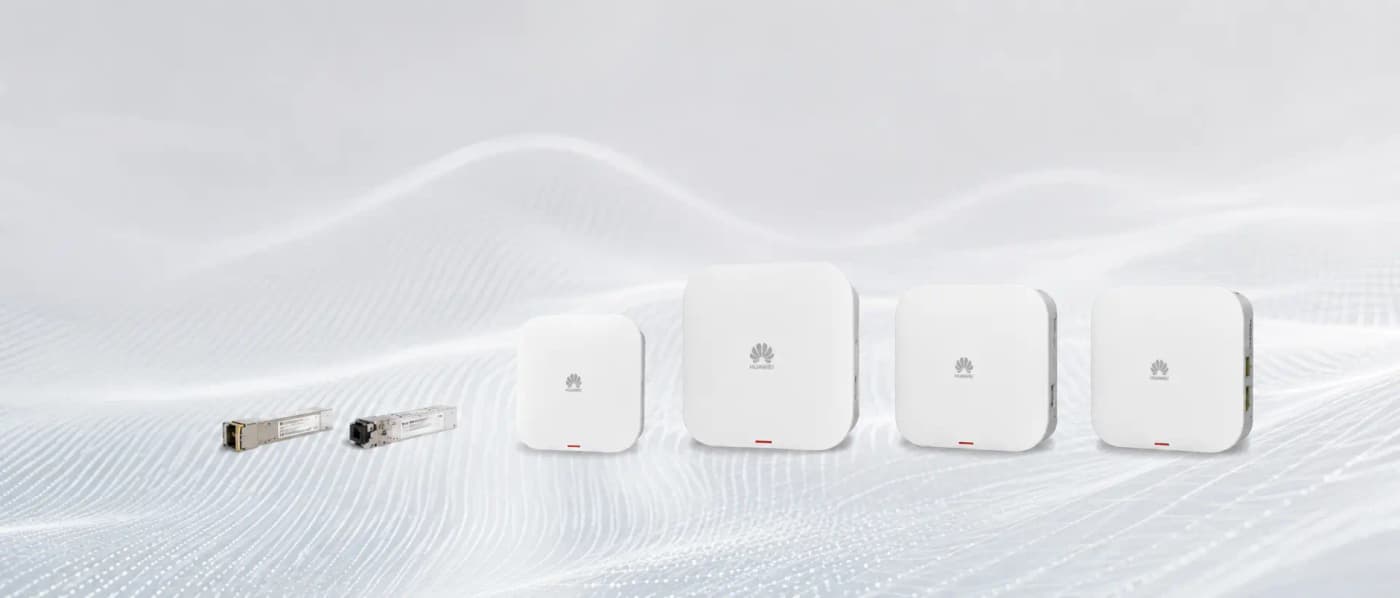
For UAE businesses, two Huawei eKit WiFi 6 access points cover most scenarios. The AP362E is a wall-plate form factor WiFi 6 AP ideal for hotel rooms and office cubicles — it mounts in place of a standard wall socket, providing wired Ethernet ports plus WiFi 6, and passes PoE through to a connected IP phone. The AP371 is a ceiling-mount AP rated for higher-density areas such as corridors, lobbies, conference rooms, and open-plan offices. Both are managed via the Huawei eKit app with zero-touch provisioning.
- AP362E: wall-plate, WiFi 6, 2.975 Gbps combined, ideal for hotel rooms and cubicles
- AP371: ceiling mount, WiFi 6, higher capacity, ideal for open spaces and corridors
- Both support OFDMA, MU-MIMO 2x2, BSS Colouring, TWT
- Managed via eKit app — no dedicated controller hardware required for smaller deployments
- Available from Netbiz Technology LLC, authorised Huawei eKit distributor in UAE
Do You Need WiFi 6 or Is WiFi 5 Still Enough?
For a home office or a 3-person shop, WiFi 5 is adequate. For any UAE business with more than 15 simultaneous wireless clients, VoIP calls, video conferencing, or guest WiFi with unknown device counts, WiFi 6 is the right investment. The hardware premium over WiFi 5 has narrowed significantly — Huawei eKit WiFi 6 APs cost only marginally more than equivalent WiFi 5 models and will remain current for the next 5–7 years.
Ready to upgrade your UAE office or hotel to WiFi 6? Netbiz Technology LLC supplies and installs Huawei eKit WiFi 6 access points across all seven emirates. Message us on WhatsApp for a site assessment and quote.
Get a WiFi 6 Quote on WhatsApp