
 +971 50 945 1020
What Is a Network Switch? A Plain-English Guide for UAE Businesses
By Netbiz Technology LLC · 1 September 2026
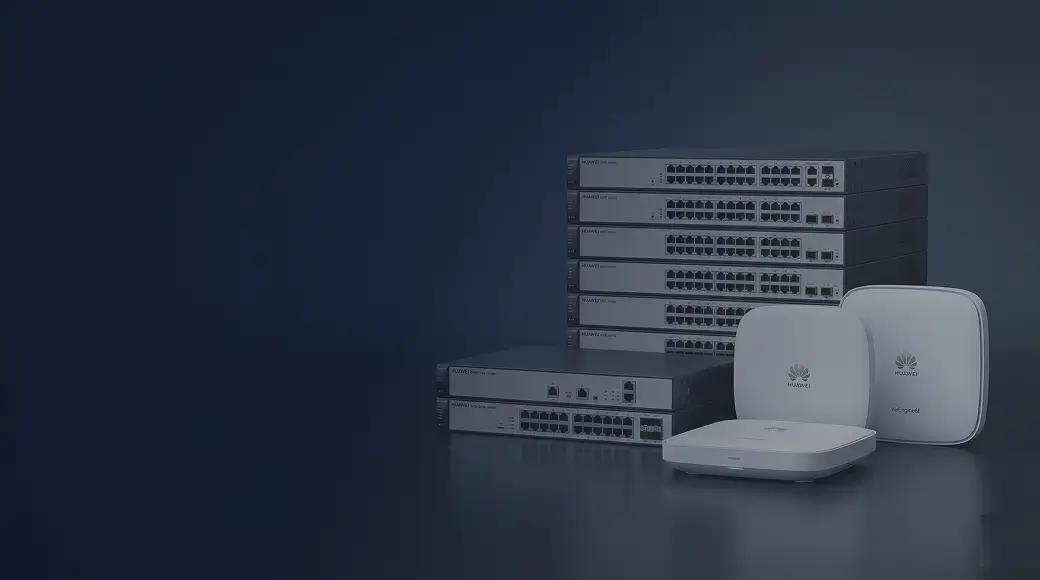
A network switch is a hardware device that connects all the wired devices inside a building — computers, printers, IP cameras, wireless access points, VoIP phones — so they can send data to each other at high speed. Unlike a router, which connects your office to the internet, a switch handles internal traffic. Without a switch, your devices cannot form a local area network (LAN).
Switch vs Router vs Hub: What Is the Difference?
These three devices are often confused. They do different jobs and are not interchangeable.
| Device | What It Does | Where It Sits |
|---|---|---|
| Switch | Connects devices inside your building — computers, cameras, APs, phones | Inside the office (LAN) |
| Router | Connects your LAN to the internet (or another network) | Between LAN and ISP |
| Hub | Old technology — broadcasts all traffic to all ports, wastes bandwidth | Obsolete, avoid |
A switch is intelligent: it learns the MAC address of each device connected to each port, then sends each data frame only to the correct destination port. A hub, by contrast, broadcasts every packet to every port — a design that creates collisions and kills performance. No modern UAE business should be using a hub.
Which OSI Layer Does a Switch Operate On?
Standard (Layer 2) switches operate at the Data Link layer of the OSI model. They read MAC addresses to make forwarding decisions. More advanced Layer 3 switches can also read IP addresses and route traffic between VLANs without needing a separate router — useful in larger office deployments. For most small and mid-size UAE businesses, a Layer 2 managed switch is sufficient.
Why Does a Business Need a Network Switch?
The moment you have more than two or three networked devices in a building, you need a switch. Here is why:
- Connects all your wired devices — PCs, servers, NVRs, printers — into one LAN
- Allows devices to communicate at gigabit (1,000 Mbps) speeds without interfering with each other
- Provides the backbone for your wireless access points to serve WiFi users
- Enables VLANs to separate traffic — guest WiFi, CCTV, and internal data on the same cables but logically isolated
- Powers IP cameras, access points, and VoIP phones via PoE (Power over Ethernet) — no need for separate power adapters
- Scales easily: add a switch on each floor as your office grows
Types of Network Switch
Unmanaged Switch
Plug-and-play, no configuration. All ports work on the same flat network. Fine for a tiny home office or a single room with 2–5 devices. No VLANs, no QoS, no monitoring. Not recommended for business use beyond the most basic scenarios.
Managed Switch
Configurable via web interface, command line, or cloud. Supports VLANs, QoS, port security, SNMP monitoring, and more. The standard choice for any UAE business with 10 or more devices, multiple departments, or a mix of cameras, phones, and wireless APs.
PoE Switch
Delivers power and data over a single Ethernet cable. Essential for IP cameras, WiFi access points, and VoIP phones. PoE switches come in unmanaged and managed versions. For cameras or APs with VLANs, always use a managed PoE switch.
Layer 3 Switch
Handles inter-VLAN routing without a dedicated router. Used in medium-to-large deployments where multiple VLANs need to communicate — for example, the CCTV VLAN sending alerts to the management server on the corporate VLAN.
Port Counts: How Many Ports Do You Need?
Switches come in 8, 16, 24, and 48-port configurations (and larger for enterprise use). A common rule of thumb: count every wired device in your office, add 20% headroom for growth, then choose the port count that covers it. A 20-person Dubai office with two wireless APs and four IP cameras typically needs a 24-port or 48-port switch at the core, plus smaller switches on each floor.
Recommended Huawei eKit Switches for UAE Businesses
Huawei eKit is purpose-built for SMB and commercial deployments. The product range covers every common scenario:
- Huawei eKit S110 — unmanaged or lightly managed, 8/16/24 ports, ideal for very small offices and conference rooms
- Huawei eKit S220 — managed, PoE available, 24/48 ports, strong choice for 10–40 user offices
- Huawei eKit S310 — managed PoE, SFP uplinks, ideal for floors with cameras, APs, and phones
- Huawei eKit S530 — Layer 3 managed, high-speed uplinks, suits multi-floor aggregation or large deployments
All Huawei eKit switches are managed through the eKit app or web interface — no complex CLI required — making them practical for UAE SMBs that do not have a full-time network engineer on staff.
UAE-Specific Considerations
Network infrastructure in UAE varies significantly by building type. A free-zone office tower in Dubai with structured cabling throughout can use a clean star topology — one core switch per floor. A villa in Abu Dhabi or a warehouse in RAK may need a more creative layout with switches in distributed cabinets. In hotels, a managed PoE switch per floor is standard — one switch in the riser room powers all the access points and guest-room phones on that level.
UAE summers also mean equipment rooms can run hot. Always ensure your network cabinet has adequate cooling. Huawei eKit switches are rated for commercial environments, but ambient temperature above 45°C in an uncooled server room will shorten hardware life.
Summary
A network switch is the foundation of any business LAN. It connects your devices, enables VLANs for security, delivers power to cameras and access points via PoE, and provides the performance that modern offices demand. For UAE businesses, a managed switch — ideally Huawei eKit — is the right starting point. The complexity scales with your needs, from an 8-port unmanaged unit for a small Sharjah shop to a full multi-floor managed deployment for a Dubai hotel.
Not sure which switch is right for your office or project? Netbiz Technology LLC supplies and installs Huawei eKit switches across the UAE. Send us your floor plan or device count on WhatsApp and we will recommend the right model and quantity.
Get Switch Recommendations