
 +971 50 945 1020
PoE vs Non-PoE Switch: Which Does Your UAE Business Need?
By Netbiz Technology LLC · 2 September 2026
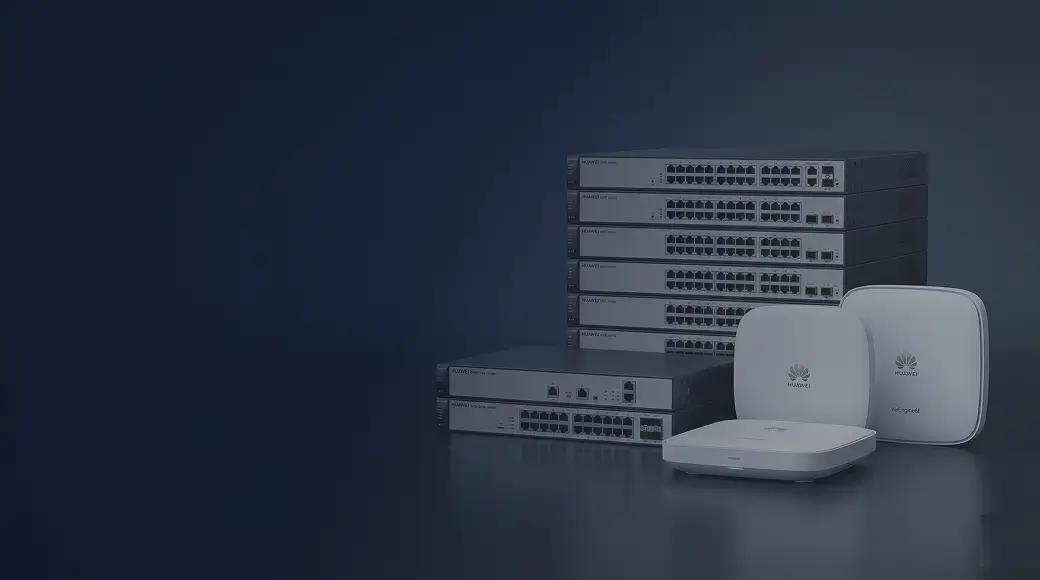
A PoE (Power over Ethernet) switch powers connected devices — IP cameras, wireless access points, VoIP phones, intercoms — directly through the Ethernet cable. No wall socket needed at each device. A non-PoE switch only carries data, so every device needs its own power supply. For most UAE business networks that include cameras or WiFi, a PoE switch is not optional — it is the practical standard.
What Is PoE and How Does It Work?
Power over Ethernet is defined by IEEE standards. The switch (the 'PSE' or Power Sourcing Equipment) injects DC power onto the Ethernet cable pairs alongside the data signal. The connected device (the 'PD' or Powered Device) extracts that power and uses it to run. The cable carries both simultaneously — data at up to 1 Gbps and power up to 90W, depending on the PoE standard in use.
PoE Standards: 802.3af, 802.3at, and 802.3bt
| Standard | Common Name | Max Power per Port | Typical Use |
|---|---|---|---|
| IEEE 802.3af | PoE | 15.4 W | Basic IP cameras, VoIP phones |
| IEEE 802.3at | PoE+ | 30 W | Dual-band WiFi APs, PTZ cameras |
| IEEE 802.3bt | PoE++ / Hi-PoE | 60 W / 90 W | Multi-radio APs, video conferencing endpoints |
Most enterprise WiFi access points — including those paired with Huawei eKit switches — require 802.3at (PoE+) at 25–30W. Standard IP cameras typically need only 802.3af at 5–12W. Always check the wattage requirement on the device datasheet before buying a switch.
PoE Budget: The Number That Really Matters
A PoE switch has a total power budget — the maximum watts it can deliver across all ports simultaneously. A 24-port switch might have a 370W budget. If you connect 12 access points at 25W each (300W total) plus 8 cameras at 8W each (64W total), that is 364W — within budget. If you add more devices and exceed the budget, lower-priority ports will lose power.
Calculate your PoE budget before purchasing. Add the wattage of every powered device you plan to connect, multiply by a 1.2 safety factor, and ensure the switch budget covers it. Huawei eKit S310 switches are available with up to 370W PoE budget, which comfortably covers a typical floor of 8–12 APs and cameras.
Common PoE Use Cases in UAE
IP Security Cameras
Every IP camera in a UAE office, warehouse, or hotel corridor draws power from the PoE switch. Running a separate power cable to each camera location — especially in a false ceiling or outdoor bracket — is expensive and impractical. PoE eliminates that cost entirely. A single Cat6 cable to each camera location handles both data and power.
WiFi Access Points
Ceiling-mounted WiFi access points have no nearby power socket. PoE+ is the universal solution. In a Dubai hotel or a large open-plan office in DIFC, every AP on the ceiling gets its power from the floor-level PoE switch in the riser cabinet — clean, no visible cables, no adaptors.
VoIP Phones
Desk phones on a VoIP system draw power from PoE (typically 5–8W, well within 802.3af limits). No power brick needed on every desk. In a call centre in Abu Dhabi or a front-desk setup at a Sharjah hotel, this keeps cable clutter minimal.
Door Access Controllers and Intercoms
Modern IP-based access control panels and video intercoms often support PoE. This simplifies installation considerably — one conduit to the door carries both power and the network connection.
When Is a Non-PoE Switch Fine?
You do not need PoE if every device connected to that switch has its own power supply. Typical non-PoE scenarios:
- A core or aggregation switch that only connects to other switches via fibre or SFP uplinks
- A switch that only serves desktop computers with local power supplies
- A server room switch connecting servers and NAS devices
- An uplink switch between floors where all powered devices sit on access-layer PoE switches
In a multi-floor deployment, it is common to use a non-PoE Layer 3 switch (such as the Huawei eKit S530) as the core aggregation switch, with PoE access switches (Huawei eKit S310) on each floor providing power to APs and cameras. This saves cost — the core switch does not need PoE since nothing powered is connected to it directly.
Cost Comparison: PoE vs Non-PoE
PoE switches cost more than non-PoE equivalents — typically 30–60% more for the same port count and management features. However, the total installed cost tells a different story. A non-PoE switch saving AED 300 requires you to buy and install a power adapter (AED 50–100) at each powered device. For 12 access points, that is AED 600–1,200 in additional hardware, plus the labour cost of running power cables. The PoE switch almost always wins on total installed cost.
Huawei eKit PoE Switch Models
Huawei eKit covers the full range of PoE requirements for UAE businesses:
- Huawei eKit S110-8LP — 8-port PoE, 67W budget, ideal for small offices and single-room camera setups
- Huawei eKit S220-24P — 24-port PoE+, 185W budget, good for a 15–20 user floor with cameras and APs
- Huawei eKit S310-24P — 24-port PoE+, 370W budget, 2x SFP uplinks, the workhorse of mid-size deployments
- Huawei eKit S310-48P — 48-port PoE+, 370W budget, for dense floors or large camera systems
Key Questions Before You Buy
- How many PoE devices will connect to this switch?
- What is the wattage of each device? (check datasheet — PoE 15.4W, PoE+ 30W, PoE++ up to 90W)
- What is the total PoE power budget you need? (sum all device watts × 1.2 safety factor)
- Do you need uplink ports (SFP/SFP+) to connect to a core switch or fibre run?
- Do you need VLANs to separate camera, WiFi, and corporate traffic? (if yes, choose managed PoE)
Need help calculating your PoE budget or choosing between switch models? Netbiz Technology LLC supplies Huawei eKit PoE switches across the UAE. Share your device list on WhatsApp and we will spec the right switch for you.
Get Switch Recommendations