
 +971 50 945 1020
How to Choose a Network Switch for a CCTV System in UAE
By Netbiz Technology LLC · 4 September 2026
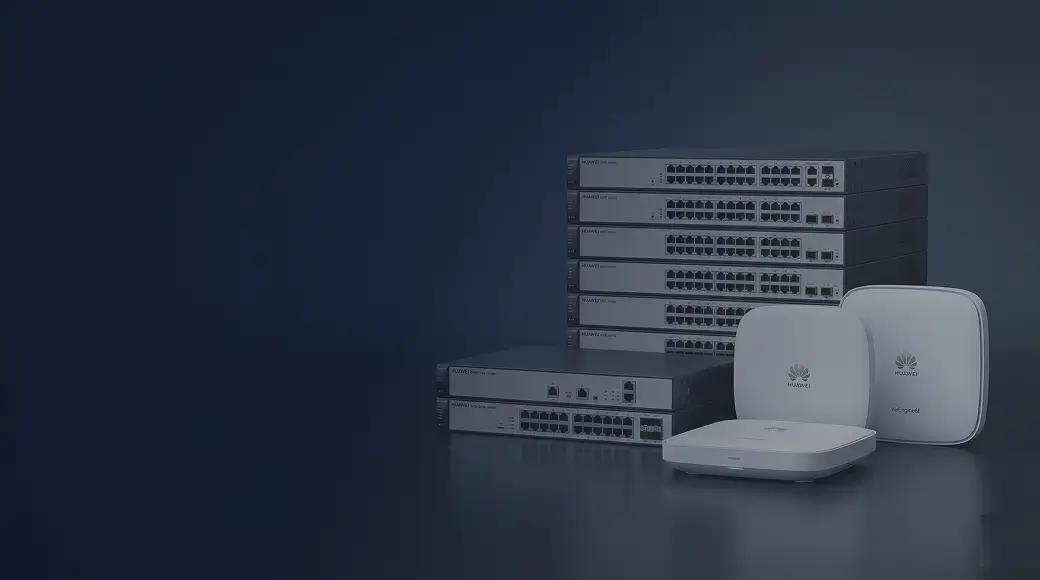
Choosing the right network switch for a CCTV system in UAE comes down to five factors: total PoE budget to power all cameras simultaneously, per-port wattage for your camera models, a dedicated VLAN to isolate camera traffic, uplink capacity to the NVR, and IGMP snooping for multicast stream management. Get these right and your system runs continuously without dropped recordings or network interference.
Why a Dedicated Switch for CCTV?
Many UAE businesses make the mistake of connecting cameras to the same switch as their office computers. This creates two problems. First, security: anyone on the office network can attempt to access camera streams or the NVR web interface. Second, performance: high-resolution camera streams generate continuous background traffic that competes with user activity — especially noticeable during 4K recording where a single camera can consume 8–16 Mbps continuously.
The solution is either a dedicated switch for cameras only, or — more practically — a single managed switch where cameras are placed in a dedicated VLAN, completely isolated from corporate traffic. A Huawei eKit managed PoE switch handles both scenarios.
Specification 1: PoE Budget
PoE budget is the total watts the switch can deliver across all ports at once. This is the most commonly misunderstood specification. A 16-port PoE switch might advertise 15.4W per port but have a total budget of only 120W — enough for 8 cameras at 15W each, not 16.
Calculate your required budget: list each camera model and its maximum power draw from the datasheet, sum them all, and multiply by 1.2 (20% safety margin). Then choose a switch whose total PoE budget equals or exceeds this number.
| Camera Type | Typical Power Draw | Notes |
|---|---|---|
| Fixed dome / bullet IP camera | 5–12 W | 802.3af PoE sufficient |
| Starlight / low-light camera | 10–15 W | 802.3af PoE sufficient |
| PTZ camera (pan/tilt/zoom) | 20–30 W | Requires 802.3at PoE+ |
| 4K / 8MP camera | 12–18 W | 802.3at recommended for headroom |
| Thermal camera | 15–25 W | 802.3at PoE+ |
Specification 2: Port Count
Count your cameras, add ports for the NVR (if connecting it to the same switch), add ports for future expansion (20% headroom), then choose the next standard port count above that total.
- Up to 6 cameras: 8-port PoE switch
- 7–20 cameras: 24-port PoE switch
- 21–44 cameras: 48-port PoE switch
- 45+ cameras: multiple 24/48-port switches connected to a non-PoE aggregation switch
Specification 3: VLAN for CCTV Isolation
All camera ports should be assigned to a dedicated CCTV VLAN — for example, VLAN 30. The NVR port should also be in VLAN 30. If the NVR needs to send alerts via email or push notification, the VLAN needs a route to the internet — configure this at the Layer 3 switch or router level using inter-VLAN routing with strict access control lists (ACLs) that allow only outbound connections from the NVR.
This VLAN isolation ensures that even if a laptop on the corporate network is compromised, the attacker cannot directly reach the camera system. It also means camera traffic does not saturate shared ports and degrade office network performance.
Specification 4: Uplink to the NVR
The NVR records all camera streams continuously. The bandwidth flowing from cameras to the NVR depends on resolution and frame rate. A rough estimate: 4MP H.265 camera at 20fps generates approximately 4–6 Mbps. A 16-camera system generates 64–96 Mbps to the NVR. A gigabit uplink port handles this comfortably. For 32+ cameras at 4K resolution, plan for a 10G SFP+ uplink between the camera switch and the NVR.
Specification 5: IGMP Snooping
Some IP camera systems — particularly those that support live view on multiple monitors simultaneously — use multicast to distribute streams. Without IGMP snooping on the switch, multicast traffic is flooded to every port, wasting bandwidth and potentially overloading devices not meant to receive it. Enable IGMP snooping on any switch carrying camera multicast traffic. Huawei eKit S310 supports IGMP snooping and it is easily enabled via the management interface.
Huawei eKit Recommendation for UAE CCTV
The Huawei eKit S310-24P is the standard recommendation for UAE CCTV switch deployments. Key specifications:
- 24 × PoE+ ports (802.3at, 30W per port max) — handles any standard camera including PTZ
- 370W total PoE budget — powers 24 standard cameras (at 10W each = 240W) with significant headroom
- 2 × SFP uplinks — connect to NVR on the same switch or uplink to a core switch
- Full VLAN support — configure dedicated CCTV VLAN with one-click in eKit app
- IGMP snooping — prevent multicast flooding across camera ports
- Port-level power monitoring — see how much power each camera is drawing in real time
For smaller installations (up to 8 cameras), the Huawei eKit S110-8LP is a cost-effective option with 67W PoE budget. For larger projects with 32+ cameras across multiple zones, combine multiple S310-24P switches with a non-PoE S530 aggregation switch in the security room.
Common CCTV Switch Mistakes in UAE Installations
- Using a consumer-grade unmanaged switch — no VLAN, no monitoring, cameras share the office network
- Ignoring total PoE budget — switch powers only 60% of cameras when all ports are in use
- Connecting NVR to a different switch with a slow uplink — bottleneck causes dropped frames during peak recording
- No redundancy for critical sites — consider dual power supplies or UPS protection for CCTV switches in banks, hospitals, and secure facilities
- Placing camera switch too far from cameras — Cat6 maximum is 100 metres; beyond this requires a secondary switch or fibre media converter
UAE Regulatory Context
CCTV systems in UAE commercial properties are subject to local municipality and security authority requirements. A properly segmented CCTV network on a dedicated VLAN — separate from guest WiFi or public-facing systems — is considered best practice and aligns with the security guidelines issued by Dubai Police and Abu Dhabi Police for commercial CCTV installations.
Installing a CCTV system in UAE? Netbiz Technology LLC supplies and configures Huawei eKit PoE switches for CCTV deployments in warehouses, offices, hotels, and residential compounds. WhatsApp us with your camera count for a free switch recommendation.
Get Switch Recommendations