
 +971 50 945 1020
How to Choose the Right Network Switch for Your UAE Business
By Netbiz Technology LLC · 10 July 2026
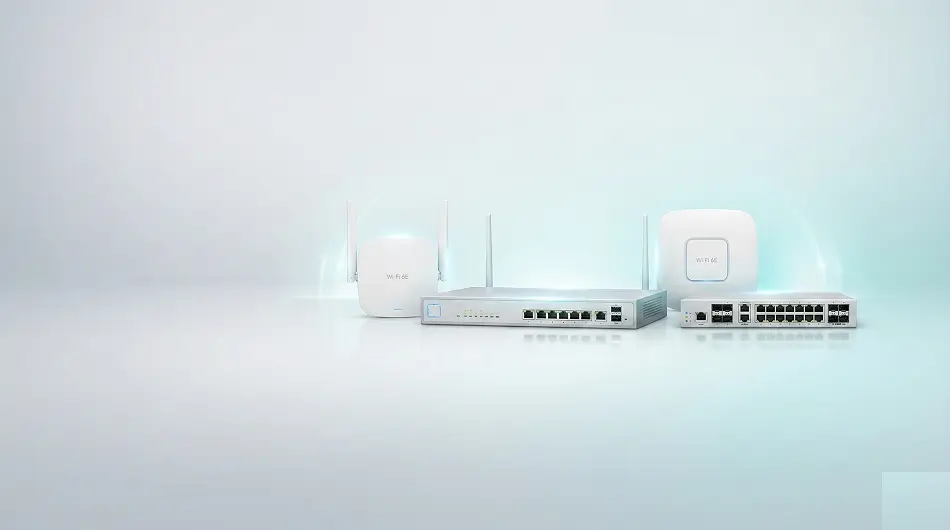
Choosing the right network switch is one of the most important decisions when setting up or upgrading a business network in the UAE. The wrong switch — too few ports, no PoE, or missing management features — creates bottlenecks, security gaps, and expensive replacements. This guide walks you through every factor to consider, step by step.
Step 1 — Count Your Devices and Choose the Right Port Count
The first step is to count every device that needs a wired Ethernet connection: desktop computers, servers, printers, wireless access points, IP cameras, VoIP phones, and any other networked hardware.
Add 20–30% additional ports for future growth — you do not want to buy another switch in 12 months because you ran out of ports. Common port counts are 8, 16, 24, and 48 ports. For most small UAE offices, a 24-port switch covers both current needs and near-term growth.
Step 2 — Do You Need PoE? Check Your Access Points and Cameras
If your network includes wireless access points, IP cameras, or VoIP phones, you almost certainly need a PoE switch. PoE (Power over Ethernet) delivers electrical power to these devices over the same cable that carries data — no separate power adapter at each device.
Check the PoE budget (total watts) of the switch against the combined power draw of all your PoE devices. A Huawei eKit 24-port PoE switch typically provides 370W total budget, enough for 10–16 access points or cameras simultaneously.
- PoE (802.3af) — up to 15.4W per port: suitable for most access points and VoIP phones
- PoE+ (802.3at) — up to 30W per port: required for PTZ cameras and some outdoor APs
- PoE++ (802.3bt) — up to 60–90W per port: for high-power devices
Step 3 — Managed or Unmanaged Switch?
For any UAE business with more than 10 devices, or with VoIP, cameras, or guest WiFi, a managed switch is the right choice. Here is why:
- VLANs: Separate staff, guest WiFi, CCTV, and VoIP traffic on the same physical switch
- QoS: Prioritise voice and video calls over bulk data transfers
- Security: Block unauthorised devices with 802.1X port authentication
- Monitoring: Track port utilisation, find faults, and troubleshoot remotely
- Spanning Tree: Prevent network loops in redundant topologies
Unmanaged switches are only appropriate for a home office or the very simplest networks with 2–8 devices, no security requirements, and no VoIP or cameras.
Step 4 — Choose the Right Speed: Gigabit Is the Standard
For all new UAE office installations, Gigabit Ethernet (1 Gbps per port) is the minimum standard for access-layer switches. Fast Ethernet (100 Mbps) is outdated and should not be installed in new networks.
For uplinks between switches and server connections, 10G SFP+ ports provide the bandwidth needed for high-traffic environments. Huawei eKit managed switches include 2–4 SFP+ uplink ports for this purpose.
Step 5 — Plan Your Uplinks and Switch-to-Switch Connections
If your network has multiple switches (multi-floor office, large warehouse), connect them via fiber SFP+ uplinks for maximum bandwidth and minimum latency. This is called the distribution or aggregation layer.
For large deployments, consider stackable switches that can be managed as a single unit, simplifying administration and improving redundancy.
Step 6 — Match the Switch to Your Physical Environment
Most office switches are rack-mountable (1U form factor) and designed for network cabinets or server rooms with controlled temperature. For small offices without a rack, desktop form factor switches are a practical choice.
For dusty, hot, or outdoor environments — warehouses, factories, or outdoor installations — choose a switch with appropriate operating temperature ratings and dust resistance. Check the IP rating if moisture is a concern.
Which Huawei eKit Switch Is Right for Your UAE Office?
Huawei eKit managed switches are available in 8, 24, and 48-port configurations with Gigabit, PoE, PoE+, and 10G uplink variants. The right model depends on your device count, PoE requirements, and uplink needs.
Netbiz Technology LLC is the authorised Huawei eKit distributor in the UAE. Contact us on WhatsApp with your device count, office size, and requirements — we will recommend the exact models and quantities for your project at no charge.
Summary: Network Switch Buying Checklist for UAE Businesses
- Count devices — add 20–30% buffer for growth
- PoE required? Check total PoE budget against device power draw
- 10+ devices, VoIP, cameras, or guest WiFi? Choose managed
- Minimum Gigabit speed — avoid Fast Ethernet for new installations
- Plan 10G uplinks for multi-switch or server connections
- Match form factor and temperature rating to your environment
- Buy genuine Huawei eKit from Netbiz Technology — authorised UAE distributor