
 +971 50 945 1020
How to Build a Business Network: Step-by-Step Guide for UAE Companies
By Netbiz Technology LLC · 23 September 2026
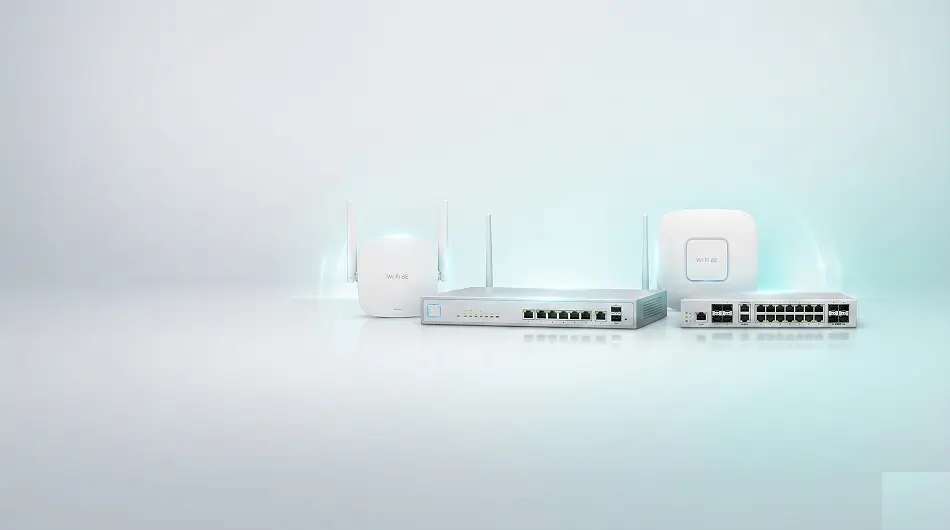
Building a business network involves four main components: a switch (to connect all devices), a router or gateway (to connect to the internet), access points (for WiFi), and structured cabling (Cat6 to connect everything). Planning the right size and configuration before purchasing saves significant cost and avoids rework.
Step 1: Count Your Devices
Before choosing any hardware, count every device that will connect to the network — both now and within the next 2–3 years. Categorise them: wired computers, wired VoIP phones, IP cameras, WiFi access points, printers, servers, and wireless client devices.
| Device Type | Connection | PoE Required? | Notes |
|---|---|---|---|
| Desktop computers | Wired (Cat6) | No | 1 port each |
| VoIP phones | Wired (Cat6) | Yes (802.3af, 15.4W) | 1 port each |
| IP cameras | Wired (Cat6) | Yes (802.3af/at, 12–25W) | 1 port each |
| WiFi access points | Wired (Cat6) | Yes (802.3at, 15–30W) | 1 port each |
| Laptops/mobile devices | Wireless | No | Connect via APs |
| Network printers | Wired or wireless | No | 1 port if wired |
| Smart TVs / displays | Wired or wireless | No | 1 port if wired |
Step 2: Plan Your VLANs
VLANs (Virtual Local Area Networks) let you segment your network into separate traffic zones on the same physical switch. This is not just for security — it also improves performance by preventing broadcast storms and allows you to apply different policies to different device types.
- VLAN 10 — Staff data (computers, printers, internal applications)
- VLAN 20 — Guest WiFi (completely isolated from staff network)
- VLAN 30 — CCTV cameras (isolated, routes only to NVR/DVR storage)
- VLAN 40 — VoIP phones (QoS priority, isolated from general data traffic)
- VLAN 50 — IoT devices (smart locks, BMS, HVAC — isolated)
- VLAN 99 — Management (switch and AP management interfaces only)
Step 3: Choose the Right Switch
The switch is the core of your wired network. For any business network with VLANs, you need a managed switch. Unmanaged switches cannot support VLANs, QoS, or traffic monitoring.
| Business Size | Recommended Switch | Ports | PoE Budget |
|---|---|---|---|
| 5–15 devices | Huawei eKit S310-8P2ST or S220-8P2ST | 8 ports | 60W |
| 15–30 devices | Huawei eKit S310-24P4S | 24 ports | 370W |
| 30–60 devices | Huawei eKit S310-48P4X | 48 ports | 740W |
| 60+ devices / multi-floor | Huawei eKit S530-24T4X (core) + S310 (access) | 24+24+ | Varies |
Step 4: Plan Access Points for WiFi
WiFi coverage planning depends on your building type and user density. Concrete walls in UAE commercial buildings attenuate 5 GHz signals significantly — plan one AP per room in hotels, and one AP per 100–150 sqm in open-plan offices.
- Office open plan: 1 AP per 100–150 sqm (Huawei eKit AP371, ceiling mount)
- Hotel rooms: 1 AP per room or per 2 rooms (Huawei eKit AP362E, wall plate)
- School classrooms: 1 AP per classroom or 1 per 2 classrooms
- Warehouse: 1 AP per 300–500 sqm (high-gain ceiling AP, 2.4 GHz for scanners)
- Add 2.4 GHz for IoT and long-range devices; 5 GHz for high-speed client devices
Step 5: Choose Your Gateway or Router
The gateway or router is the device that connects your internal network to your ISP. For most UAE SMEs, a Huawei eKit business gateway or AR-series router provides internet sharing, VLAN routing, DHCP, guest WiFi portal, and basic firewall in a single manageable device.
- 1–50 users: Huawei eKit AR617VW (integrated gateway with WiFi)
- 50–200 users: Huawei eKit AR160 series (dedicated business router, VLAN routing, VPN)
- Multi-site enterprise: Huawei eKit AR enterprise router with SD-WAN and site-to-site VPN
- Guest portal requirement: ensure your gateway supports captive portal / splash page
- WAN redundancy: choose dual-WAN or LTE backup if uptime is critical
Step 6: Cable Infrastructure
The most overlooked part of a network build is the cabling. Cat6 cable (not Cat5e) is the minimum standard for new commercial UAE installations — it supports 10 Gigabit over short runs and is future-proof. Plan cable routes before construction where possible.
- Use Cat6 cable for all runs — minimum standard for new UAE commercial builds
- Maximum run length is 90m from patch panel to device (100m total with patch cables)
- Run cables inside cable trays or conduit — required in most UAE commercial buildings
- Label both ends of every cable during installation
- Terminate cables in a patch panel in a dedicated network cabinet if possible
- Test every cable run with a cable tester before connecting equipment
Step 7: Configuration Checklist
- Create VLANs on the managed switch (one per traffic zone)
- Configure access ports for wired devices (assign to correct VLAN)
- Configure trunk ports between switch and router/AP
- Set up SSIDs on access points — map each SSID to correct VLAN
- Configure QoS on switch — prioritise VoIP (VLAN 40) traffic
- Enable IGMP snooping if using multicast (IPTV, IP cameras)
- Set strong passwords on all network devices — no default credentials
- Configure DHCP scopes per VLAN on your gateway
- Test VLAN isolation — guest WiFi must not reach staff network
- Document your final IP addressing scheme and network diagram
Get Your Network Designed for Free
Netbiz Technology provides free network design for UAE businesses. Send us your floor plan, tell us your device count and business type, and we'll produce a full network specification — switch models, AP placement, VLAN plan, and cabling guide — at no charge. WhatsApp us at +971 50 945 1020 to get started.
Share your floor plan and requirements — we'll design your complete business network for free.
Get Free Network Design