
 +971 50 945 1020
How Many WiFi Access Points Does My UAE Business Need?
By Netbiz Technology LLC · 3 September 2026
The short answer: one access point covers 1,500–2,000 square feet in a standard UAE office with concrete walls, drop ceilings, and mixed devices. Divide your total floor area by 1,500 sqft, round up, and add one for every large meeting room or high-density area. That gives you a starting point — then adjust for device density, wall materials, and interference.
Why the '1 AP Per Floor' Myth Fails UAE Offices
UAE commercial buildings are almost universally concrete and glass. Signal attenuation through a single concrete wall is 12–18 dB — meaning roughly 60–80% of signal strength is lost. A single AP in the middle of a floor plan may show four bars on your phone near the AP but one bar at the far end of the same floor. The coverage problem worsens with glass partitions (reflections cause multipath) and marble floors (common in UAE offices and hotels).
The Coverage Formula for UAE Offices
Use this as your baseline calculation:
- Standard open-plan office (few walls): 1 AP per 2,000 sqft
- Typical UAE office (concrete partitions, glass): 1 AP per 1,500 sqft
- Dense office with many walls or meeting rooms: 1 AP per 1,000 sqft
- Hotel corridors (narrow, long): 1 AP per 100–150 feet of corridor length
- Hotel rooms: 1 AP per room (wall-plate AP) or 1 AP per 2–3 rooms (corridor AP)
These figures assume WiFi 6 APs operating at 5 GHz with typical transmit power. If you use 2.4 GHz exclusively (lower speed but better range), coverage per AP is larger. If you are in a particularly RF-noisy environment — near industrial equipment or in a building with many WiFi networks from neighbouring tenants — reduce the coverage estimate by 20–30%.
Device Density: The Other Variable That Changes Everything
Coverage range is only one factor. The other is client capacity. A single high-end WiFi 6 AP can handle 50–100 clients before throughput per device degrades noticeably. In a dense environment, you may need more APs for capacity reasons even if coverage is adequate.
| Environment | Devices per AP (recommended) | Reason |
|---|---|---|
| General office | 30–50 clients | Mixed use, not all devices active simultaneously |
| Open-plan with video calls | 20–30 clients | High continuous throughput per device |
| Hotel (guest WiFi) | 15–25 clients per AP | Each guest has 2–3 devices, high concurrent usage |
| Conference room | Dedicated AP per room | Burst demand during meetings |
| Warehouse with scanners | 20–30 scanners per AP | Low throughput but reliability critical |
| School classroom | 1 AP per classroom | 30 students each with a device |
Dead Zone Identification Before You Buy
Before ordering access points, walk your premises with a WiFi analyser app (NetSpot on Mac/Windows, WiFiMan on Android/iOS) and map signal strength at each area. Mark locations where RSSI drops below -70 dBm — those are your dead zones. Any area with -75 dBm or worse will have unreliable connections and will generate user complaints.
Check which areas have ceiling cable access — a run of Cat6 cable to a ceiling-mount AP is the most efficient solution. For areas where cable runs are impractical (glass-walled meeting pods, historic buildings), consider mesh APs as a secondary solution, noting that mesh reduces available bandwidth by 30–50% on the backhaul.
Worked Example: Three-Floor UAE Office
Consider a typical 3-floor office building in Business Bay, Dubai: each floor is 5,000 sqft with a mix of open-plan workstations and glass-walled meeting rooms.
- Ground floor (reception, open plan, 2 meeting rooms): 5,000 sqft ÷ 1,500 = 3.3 → 4 APs + 1 per meeting room = 6 APs
- Floor 1 (open plan, 4 meeting rooms, server room): 5,000 sqft ÷ 1,500 = 3.3 → 4 APs + 4 meeting rooms = 8 APs
- Floor 2 (executive offices, boardroom, terrace): 5,000 sqft ÷ 1,500 = 3.3 → 4 APs + boardroom = 5 APs
- Total: 19 APs for the building
- Add one distribution switch per floor (PoE, 24-port) + one core switch
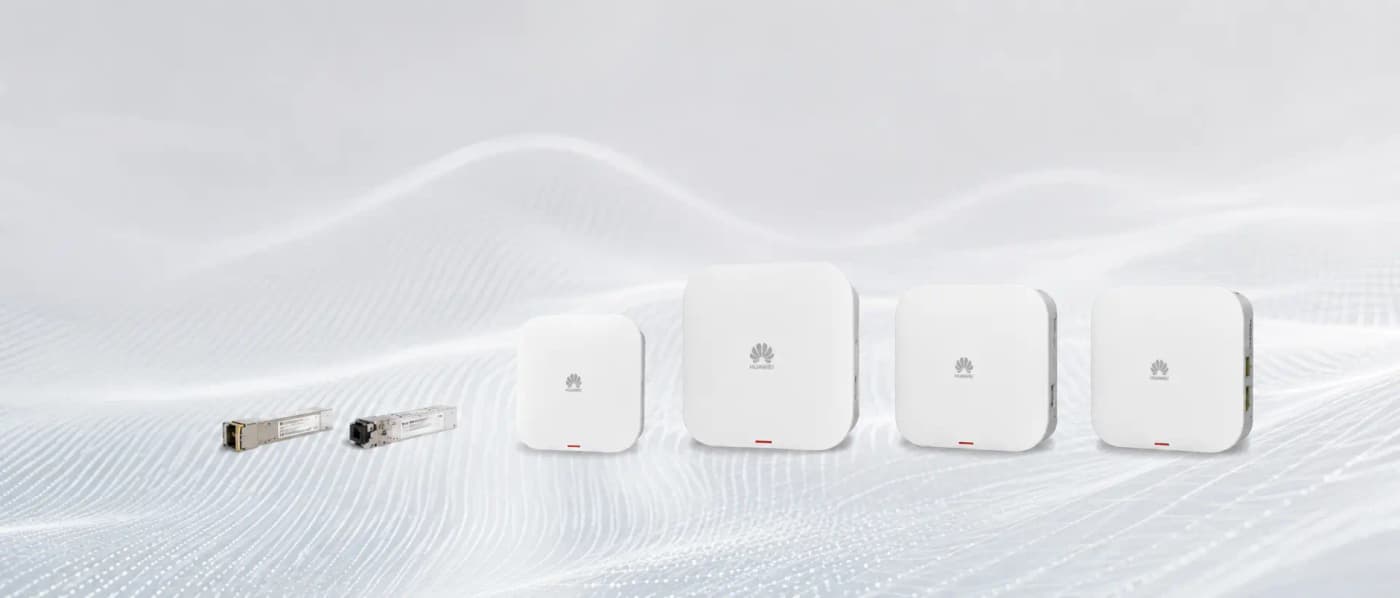
For this deployment, Huawei eKit AP371 ceiling-mount WiFi 6 APs and S310 24-port PoE switches are the natural fit. Each AP is powered over Cat6, the floor switches uplink to a core switch via SFP+ fibre, and the entire network is managed through the Huawei eKit app without a dedicated controller.
High-Density Environments Need a Different Approach
In high-density environments (hotels, auditoriums, exhibition halls), the formula-based approach is only the starting point. You also need to:
- Reduce transmit power on each AP to limit the number of clients that associate to a single AP
- Enable band steering to push capable devices to 5 GHz (and 6 GHz if WiFi 6E)
- Configure minimum RSSI thresholds so clients are forced to roam to a closer AP rather than clinging to a distant one
- Enable OFDMA and MU-MIMO to serve multiple clients per transmission
- Plan channel assignments to avoid co-channel interference between adjacent APs
Get a Free AP Count Assessment from Netbiz Technology
Netbiz Technology LLC provides free WiFi planning assessments for UAE businesses. Send us your floor plan (even a rough sketch with dimensions) and we will calculate the correct AP count, recommend the right Huawei eKit models, and estimate the total project cost. We supply and install across all seven emirates.
Send us your floor plan on WhatsApp and get a free AP count recommendation for your UAE office, hotel, or warehouse.
Get a Free WiFi Plan on WhatsApp