
 +971 50 945 1020
Best WiFi Access Point for Hotels in UAE (2026 Guide)
By Netbiz Technology LLC · 5 September 2026
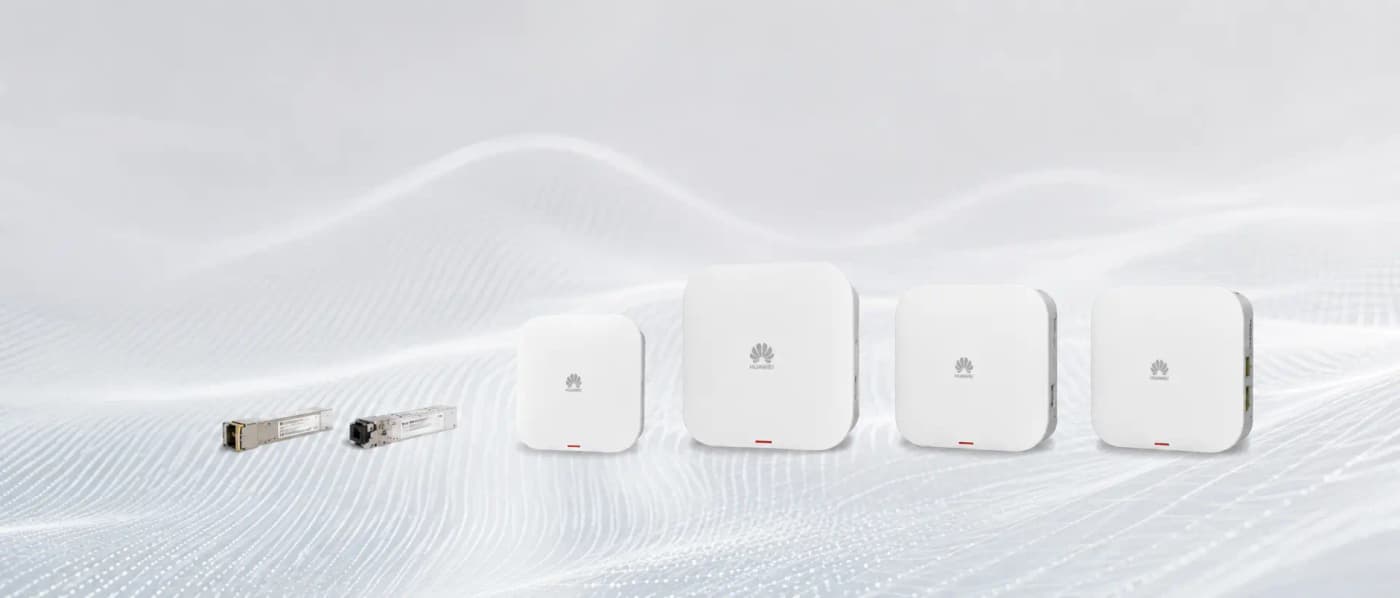
Hotel WiFi in the UAE is a direct revenue and reputation factor. TripAdvisor data consistently shows WiFi quality as one of the top three guest complaints for UAE hotels. A poor wireless network generates one-star reviews regardless of room quality or service. The solution is straightforward: one WiFi 6 access point per room, or per two to three rooms maximum — wired back to a PoE switch on each floor.
In-Room AP vs Corridor AP: The Two Hotel WiFi Models
There are two approaches to hotel WiFi placement, and the right choice depends on your building construction and budget.
Wall-Plate AP Per Room
A wall-plate AP (like the Huawei eKit AP362E) mounts directly in the room, typically replacing an existing dual-port wall socket. It provides two or more Ethernet ports for the TV, a laptop dock, or a smart hub — plus WiFi 6 coverage for the entire room from close range. Because the AP is inside the room, concrete walls do not attenuate the signal. The guest gets -30 to -50 dBm RSSI regardless of room position, which translates to maximum throughput on every device.
Wall-plate APs require one Cat6 cable per room run from a floor switch, plus one PoE port per room. For a 50-room hotel, you need roughly 50 Cat6 runs plus a 48-port PoE switch per floor. This is more cabling but produces the best possible guest experience.
Corridor Ceiling AP Shared Between Rooms
A ceiling-mount AP in the corridor can cover two to three rooms on each side through interior walls. UAE hotel rooms typically use drywalled interior walls (not concrete) between the corridor and the room, which attenuates signal by 6–10 dB — manageable for a WiFi 6 AP. The advantage is fewer APs and cable runs; the disadvantage is that performance drops at the far end of the room (especially near the window) and degrades when all rooms are occupied simultaneously.
Bandwidth Planning Per Room
A realistic bandwidth budget for a UAE hotel room in 2026:
- 4K Netflix or YouTube: 25 Mbps per stream
- HD video call (Zoom/Teams): 4 Mbps per call
- General browsing and email: 5–10 Mbps
- Smart TV + 2 smartphones + laptop simultaneously: 40–60 Mbps per room
- Recommended provisioning: 50–100 Mbps per room at the AP level
- Internet uplink: at minimum 1 Mbps per expected simultaneous guest (typically 60–70% occupancy)
A WiFi 6 AP like the Huawei AP362E provides a combined radio capacity of 2.975 Gbps — far more than a single room needs. The constraint is almost always the internet uplink, not the WiFi. Provision your ISP connection first; an under-sized fibre line cannot be fixed by better APs.
Guest VLAN: Isolation Is Non-Negotiable
Every hotel WiFi network must implement guest VLAN isolation. Without it, a guest can probe and connect to other guests' devices on the same network — a serious security risk in a UAE context where business travellers handle sensitive data. Guest VLAN isolation means:
- Each SSID is tagged to a VLAN (e.g., VLAN 10 for guest WiFi, VLAN 20 for staff, VLAN 30 for CCTV)
- Client isolation is enabled on the guest VLAN — devices cannot see each other
- Guest traffic is routed through a separate firewall or gateway before reaching the internet
- Staff and management SSIDs have separate routing paths and access controls
- Huawei eKit APs and switches support multi-VLAN natively, configured through the eKit app
Dense WiFi in Concrete UAE Hotel Buildings
Most UAE hotels built before 2015 use poured concrete slab floors and concrete block walls — both significant RF attenuators. A standard office-grade WiFi survey approach underestimates the attenuation in these buildings. Specific issues:
- Concrete walls between floors: 18–25 dB attenuation — a corridor AP on floor 5 cannot reach floor 6 reliably
- Marble flooring common in UAE hotels: reflects signal, creates multipath interference
- Thick concrete fire-rated walls between room blocks: may require an AP per wing, not per corridor
- Dense metal door frames: attenuate 5 GHz signal significantly — wall-plate APs inside the room avoid this issue entirely
Recommended Hardware: Huawei eKit AP362E and AP371
For UAE hotel deployments, Netbiz Technology recommends:
- Huawei eKit AP362E (wall-plate, WiFi 6): ideal for in-room installation, replaces standard dual wall socket, PoE in/out for IP phone passthrough, 2.975 Gbps combined radio capacity
- Huawei eKit AP371 (ceiling mount, WiFi 6): ideal for corridors, lobby, restaurant, and meeting rooms
- Huawei eKit S310 24P or 48P PoE switch: floor distribution switch, 30W PoE per port, SFP+ uplinks
- Huawei eKit S530 or S310 core switch: aggregates floor switches, uplinks to firewall/router
Mesh vs Controller-Based: Which for Hotels?
Consumer mesh systems (Eero, Google Nest, Orbi) use wireless backhaul between mesh nodes and are not suitable for hotels. They have no VLAN support, no guest isolation, no centralised management, and poor roaming. For a hotel, the correct architecture is wired APs managed by a controller or cloud management platform.
Huawei eKit supports two management modes: the eKit app for smaller hotels (up to around 100 APs, cloud-managed, no on-premise controller hardware), and the eKit AC (wireless access controller) for larger properties requiring local management, advanced roaming policies, and detailed radio frequency management. For most UAE boutique and mid-size hotels, the app-managed mode is sufficient.
Netbiz Technology LLC has deployed hotel WiFi networks across the UAE, from boutique properties in Ras Al Khaimah to business hotels in Dubai. Contact us on WhatsApp for a hotel WiFi assessment and proposal.
Get a Hotel WiFi Proposal